An air-gapped backup is a copy of your data stored somewhere an attacker physically or logically cannot touch it, even if they own your entire network. That isolation is what keeps ransomware from encrypting or deleting your only clean recovery point. Air gaps work best paired with immutability and regular restore testing, and they align directly with NCSC guidance and CISA’s Shields Up recommendations. Some managed IT providers build this into their backup engagements for exactly that reason.
TL;DR:
- Physical air gaps using tape or removable disks offer the strongest isolation but slow down recovery and require manual media management.
- Logical air gaps leverage network segmentation, one-way replication, and credential controls to provide easier scaling and faster restoration compared to physical methods.
- Cloud or managed vaults create a hybrid model with API-only access and WORM settings, balancing speed and operational simplicity for mid-sized organizations.
- Combining air gaps with immutability enhances data protection, as immutability prevents deletion but does not offer network isolation, making both necessary for comprehensive security.
- Regular testing, clear chain-of-custody, and strict access controls are critical to verify backup integrity, meet compliance, and ensure recovery readiness under an air-gapped strategy.
What Is an Air-Gapped Backup, Exactly?
An air-gapped backup goes through four distinct phases: capture, isolation, secure storage, and controlled recovery. Each phase closes a different door that ransomware operators try to walk through, and skipping one undoes the value of the others, according to SentinelOne’s breakdown of the model.
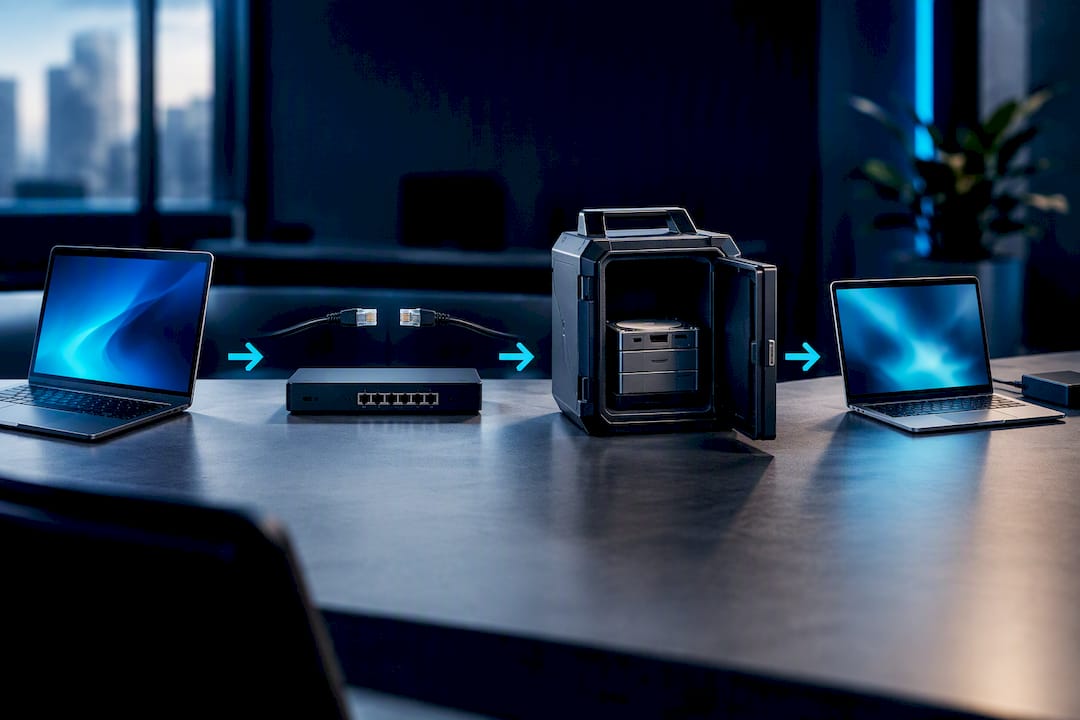
Capture is when the backup job actually runs and pulls data off production systems. Isolation happens next, when that copy gets physically or logically severed from the network, cutting the path an attacker would need to reach it. Secure storage keeps the copy intact and unaltered until it’s needed, and controlled recovery governs how, when, and by whom that data gets reconnected to production.
People conflate “offline,” “off-site,” and “air-gapped,” but they’re not the same thing. A backup sitting off-site in a colocation facility that stays connected via VPN 24/7 is not air-gapped. It’s off-site, but if that VPN tunnel is live, a lateral-moving attacker can still reach it. True isolation means the connection is severed, not just distant.
Here’s the part most teams miss: isolation protects a backup after it’s captured, but it does nothing to guarantee the capture itself was clean. If ransomware sat dormant on your file server for three weeks before triggering encryption, and your air-gapped copy is only two weeks old, you’ve air-gapped an infected system state.
That’s why capture hygiene matters as much as the gap itself:
- Verify backup integrity at capture time, not just at restore time.
- Scan source systems for known indicators of compromise before trusting a backup as clean.
- Keep multiple generations of backups, not just the most recent one, so you have older, pre-infection points to fall back on.
- Log exactly when each backup was taken and what systems it covered, so you can trace dwell time during an incident.
Physical, Logical, and Cloud: The Three Air-Gap Models
Choosing an air-gap model comes down to your recovery time objective, your recovery point objective, and how much staff time you can realistically dedicate to running it. IBM identifies three broad categories, each with real trade-offs.
-
Physical air gap. Data gets written to LTO tape or removable disks, then physically disconnected and stored in a vault or offsite facility. This is the strongest form of isolation, since there’s no network path at all, but it’s also the slowest to restore from and requires someone to physically manage media rotation, labeling, and transport.
-
Logical air gap. Instead of physical disconnection, this relies on network segmentation, one-way replication, and credential freeze windows where backup credentials are only active during the backup job itself. It scales far better than tape and supports faster restores, but it’s operationally more complex to configure correctly and depends heavily on strict access controls staying enforced.
-
Cloud or managed vaults. A separate cloud account, API-only access, and Object Lock or WORM (write once, read many) settings create a logical air gap without physical media at all. This hybrid approach trades some of the absolute isolation of tape for much faster recovery and lower staffing overhead, which is why it’s become the default for many mid-sized organizations.
A manufacturer running legacy on-premises systems with a 72-hour RTO tolerance might lean on physical tape. A healthcare practice needing same-day recovery for patient records is more likely to land on a cloud vault with strict credential separation.
Why Air-Gapped Backups Matter for Ransomware Recovery
The core benefit is simple: an air-gapped copy sits outside the blast radius of a compromised network, so even a ransomware group with domain admin credentials can’t reach it. That single fact is why law enforcement advisories on ransomware campaigns consistently flag backup infrastructure as a primary target, not an afterthought.
There’s a compliance angle too. Regulated industries, healthcare under HIPAA, financial firms under various data protection rules, benefit from the documented chain of custody an air-gapped process creates. When an auditor asks how you’d recover from a ransomware event, “we have an isolated, tested copy with logged access” is a very different answer than “we have backups.”
Statistic callout: CISA’s Shields Up guidance explicitly calls out backup protection as a priority defensive measure during periods of elevated threat, reflecting how consistently attackers target backup systems as a first move rather than an afterthought.
None of this comes free. Air-gapped systems, especially physical ones, mean slower restores, more logistics, and real operational cost. Tape rotation takes staff time. Cloud vaults with strict credential separation add friction to routine operations.
- Ransomware containment: isolated copies are unreachable by lateral movement, enhancing recovery reliability.
- Compliance support: documented custody trails satisfy auditor questions.
- Trade-off: recovery speed drops as isolation increases.
- Multiplier effect: pairing air gaps with immutability closes gaps either control leaves open alone.
Air-Gapped vs. Immutable Backups: You Need Both
Immutability and isolation solve different problems, and mixing them up is where a lot of backup strategies fall short. An immutable backup stays online and reachable, but it’s locked so nobody, not even an administrator, can modify or delete it during a defined retention window. An air-gapped backup might not even be reachable at all during that same window.
Here’s where each one can fail alone. Immutability protects against deletion, but if an attacker compromises the storage platform itself or exploits a misconfiguration in the lock policy, that protection can be bypassed. An air gap protects against network-based attacks, but if the capture was already infected, isolation just preserves a bad copy safely.
Veeam’s comparison of the two models recommends running them together rather than picking one. That’s the logic behind the 3-2-1-1-0 rule: three copies of your data, on two different media types, one stored off-site, one that’s air-gapped or immutable, and zero errors confirmed through testing.
- Immutability: locked, online, resistant to deletion within the retention window.
- Air gap: isolated, often offline, resistant to network-based attack entirely.
- Enforcement: immutability only holds if access controls and audit logging are actually configured correctly.
- Best practice: use both, verified through the 3-2-1-1-0 model, not either alone.
How to Implement Air-Gapped Backups Step by Step
Implementation isn’t a single project. It’s a sequence of decisions, each of which shapes the next.
-
Pick your air-gap model based on RTO and RPO, not on what sounds most secure. If your business can tolerate a 24-hour recovery window, a cloud vault probably beats tape. If you’re in a highly regulated space with slower recovery tolerance, physical media might be worth the extra logistics.
-
Document chain-of-custody and media-handling procedures in writing. Who signs media in and out of a vault? Who has physical key access? This documentation is exactly what regulators and cyber insurers ask for after an incident.
-
Enforce multi-factor authentication, least-privilege access, and dual approval for any destructive operation. Deleting or overwriting a backup should never be a single-person action, ever.
-
Build secure transfer workflows for getting data into isolated storage. For large initial data sets, encrypted shipping of physical media or a provider-managed import service avoids saturating production bandwidth. Azure Data Box and Import/Export workflows are a documented example of how this works at scale, using preconfigured devices or customer-owned disks depending on which trade-off fits your environment.
-
Always restore into an isolated staging environment first. Never reconnect a restored system directly to production. Run integrity checks and behavior-based antivirus scanning in that staging environment to confirm there’s no reinfection before anything touches your live network.
-
Schedule restore tests on a fixed cadence and log every result. A backup you’ve never restored from is a theory, not a plan. Keep the logs; they’re the evidence insurers and auditors will ask for.
Pro Tip: Set a calendar reminder for restore tests the same way you’d set one for patch Tuesday. The backups that fail during an actual ransomware incident are almost always the ones nobody tested in the six months before it happened.
Standards and Governance: What Auditors Will Ask For
Leadership and auditors don’t just want to know you have backups. They want evidence the process holds up under scrutiny, and that starts with adopting a documented baseline.
The 3-2-1-1-0 rule gives you that baseline: three copies, two media types, one off-site, one immutable or air-gapped, zero errors confirmed by testing. Map each element to an actual evidence artifact, a storage log, a test report, an access audit, rather than leaving it as a policy statement nobody can point to.
NCSC’s guidance on offline backups is specific on one point worth repeating: don’t connect backup infrastructure to production any more often than necessary, and never let every copy be reachable at the same time. That single rule prevents the worst-case scenario where a live incident spreads to every backup simultaneously.
Physical media brings its own governance burden. Tape and offline disks need climate-controlled storage, since temperature and humidity swings degrade magnetic media over years of retention. Vaulting facilities should log who accessed what, and when.
- Document the 3-2-1-1-0 baseline with named evidence artifacts for each element.
- Reference NCSC and CISA guidance directly in your incident response and backup policies.
- Store physical media in climate-controlled, access-logged facilities.
- Set a fixed test cadence and retain every test report for insurer and regulator review.
| Control area | What auditors expect to see |
|---|---|
| Isolation | Documented proof that at least one copy is disconnected or logically inaccessible from production |
| Immutability | Configured retention lock with access logs showing enforcement |
| Testing | Dated restore test reports on a fixed cadence |
| Media handling | Chain-of-custody logs for physical media transport and storage |
Choosing the Right Media and Transfer Method
The right media choice depends on data volume, bandwidth, restore-window tolerance, and how much staff time you can spend babysitting the process.
LTO tape remains a genuinely cost-effective option for large, infrequently accessed data sets, and its long shelf life makes it well suited for regulatory retention requirements measured in years, a pattern documented in off-site data protection practices. Removable disks offer faster access than tape but cost more per terabyte at scale.
For large initial backups, especially when a business doesn’t have the bandwidth to push terabytes over an internet connection, appliance-based shipping workflows solve the problem without network strain. Cloud vault patterns, meanwhile, work well when speed matters more than absolute isolation: a separate account, credentials limited to backup jobs only, Object Lock or WORM settings enforced, and full audit logging on every access attempt.
- Large data volume, limited bandwidth: appliance shipping or provider-managed import jobs.
- Long-term regulatory retention: LTO tape for cost and shelf life.
- Fast restore requirements: cloud vault with strict credential separation.
- Regardless of media: staffing capacity to manage rotation, testing, and audits matters as much as the technology itself.
What SMBs Actually Need From an Air-Gap Strategy
Most small and mid-sized businesses don’t need the most extreme isolation model available. They need the model that matches their actual risk profile and their staff’s actual capacity to run it correctly, week after week.
Some managed IT providers use structured security frameworks that treat backup and disaster recovery as core controls, not add-ons bolted on after the fact. Such frameworks often guide whether a business needs full physical air-gapping or whether a well-configured logical air gap with strict credential separation provides similar protection at less operational overhead.
A defense contractor under CMMC requirements often needs the documented rigor of physical media. A professional services firm with a small IT footprint is usually better served by a cloud vault pattern managed under ArchiTECH’s cybersecurity services, where the complexity gets absorbed by a team that does this daily instead of quarterly.
— Tyson
Get Your Backup Strategy Air-Gapped Without the Guesswork
Building an air-gapped backup strategy from scratch means evaluating media types, configuring credential separation, documenting chain of custody, and testing restores on a schedule you’ll actually keep. ArchiTECH handles all of it as part of managed Backup & Disaster Recovery, built on the same six-step security framework used across every client engagement.
A typical engagement with a managed IT provider might start with assessment of current backup posture, move into planning that matches RTO and RPO to the appropriate air-gap model, then implementation and scheduled restore testing with documentation for auditors and insurers. Businesses recovering from an active ransomware incident know firsthand why local companies get targeted in the first place, and why the recovery copy matters more than any other control in the stack.
If you’re not sure where your current backups stand, start with ArchiTECH’s free cybersecurity assessment to see exactly what’s isolated, what’s exposed, and what a properly tested air-gapped recovery plan would look like for your environment.
Sources
FAQ
Is air-gap security still relevant?
Yes. Ransomware groups actively target backup infrastructure as a first move, which is exactly why CISA’s Shields Up guidance singles out backup protection as a priority defensive measure. Air gaps remain one of the most reliable ways to guarantee at least one recovery copy stays outside an attacker’s reach.
What are the four types of backups?
Backup strategies typically distinguish full, incremental, differential, and mirror backups, based on how much data each capture includes relative to the last one. Air-gapped and immutable backups aren’t a separate “type” in this sense. They’re protection methods applied to whichever backup type an organization runs.
What is the 3-2-1 rule for backing up?
The classic 3-2-1 rule calls for three copies of your data, on two different media types, with one copy stored off-site. Most current guidance extends this to 3-2-1-1-0, adding one immutable or air-gapped copy and zero errors confirmed through regular restore testing, a framework Veeam discusses in detail.
What does air gap mean in cybersecurity?
An air gap means a system or backup copy has no direct network connection to production systems, whether that isolation is physical (like tape stored in a vault) or logical (like a cloud account with API-only access and no persistent connection). IBM’s definition covers all three common models: physical, logical, and cloud-managed vaults.
Can ArchiTECH help implement an air-gapped backup strategy?
Yes. ArchiTECH designs and manages backup and disaster recovery strategies, including air-gapped and immutable configurations, as part of its Backup & Disaster Recovery services. Current pricing details are available directly through ArchiTECH’s site rather than published publicly.